Showing posts with label CCR Exclusives: Party picks and pennants. Show all posts

3.06.2012

Mojo Monday #231

Hey All!

Today I have a card to share that I made for this week's Mojo Monday sketch challenge. The first Monday of each month the challenge is a competition and the winner gets a set of Verve's beautiful stamps. Check out the challenge here.

Anyway, here is the sketch:


and here is my take on it:


I was really happy with the way this turned out, especially since I don't usually make boy cards. All the papers here are digital papers I got from Design House digital. Right now, this kit (called For the Boys) is available absolutely free!!! Go here to get it for yourself : ).

Have you used digital papers before? Its so fabulous because you can print as much as you want on any kind of paper or medium. All you have to have is white paper and a printer and the sky's the limit! No more scraps of wasted paper, you can print several swatches on the same piece of paper and print just enough for your current project. Cricut users, this is totally fabulous because you can just layout your cuts in CCR and then position swatches on paper to align with your cuts. No more loading tons of different papers for each layer you want to cut! Ok, I will stop raving, but if you haven't tried digi papers before, you should start now!

This little teddy is a design by Rivka Williams available on the Silhouette online store. She sells them in sets of four animals. I love how you can group images and define what you want to cut or what you want to print flat. It makes cutting and layering complicated images so easy!
Ingredients:
  • Cricut Cartridges Used: Lacy Labels (scalloped circle, tag, and heart), CCR exclusives: party picks and pennants
  • Silhouette images Used: Rivka Williams (teddy bear)
  • patterned papers: For the Boys Digital Papers by Karen Funk
  • sentiment: Bell Font
  • Other: Canvas thread, button, seam binding, Tim Holtz distress ink (walnut stain), adhesive pearls (Recollections)

~Here's to the creative journey!

3.02.2012

Silhouette and Stampin up!

Hey All!

Today I have another card made with some custom shapes I put together using the free Silhouette studio software and some Stampin Up! digital stamps. The fact that I can design stuff on my computer, see exactly what its going to look like, then just print it on my printer and have my Silhouette cut it out is blowing my mind with creative possibility. For my Cricut fans, I still love my Imagine and each has its strengths and weaknesses but I was suprised how little is known about Silhouette's print and cut feature. Anyway, Here is the card:


I didn't design her hands, they are from the Emma paper doll by Rivka Williams available on the Silhouette online store, but everything else is mine : ).


I touched her up with Copics and cut a banner with the Cricut Craft Room Exclusive cartridge: party picks and pennants. The Eiffel tower and ornate circle are Stampin Up! digital stamps called Artistic Etchings and the digital papers are Echo Park's Country Drive. I'm in love with these papers and have already used them in a bunch of projects.

Ingredients:
  • cardstock: conqueror
  • patterned paper: Country Drive by Echo Park (digital)
  • Stamps: Stampin Up! digital stamps (Artistic Etchings)
  • Banner: Cricut Craft Room Exclusives Cartridge, Party Picks and Pennants
  • Sentiment: Annabel Script font

~Here's to the creative journey

2.13.2012

Mojo Monday #228

Hey All!

The wonderful designers at Mojo Monday have once again come up with a beautiful inspirational sketch this week. This is probably the earliest I have ever completed a project based on their sketches. I just looked at it and was instantly inspired!
Here is the sketch:

And here is my take on it:


The rose and leaves shapes were both made using silhouette design studio and the sentiment was the Jane Austen font available at dafont.com. My favorite part about this card is the clock that I printed onto wood veneer paper. I got this clock in a set of vintage clocks from Martora on Etsy. She has beautiful stuff, check her out! I just printed it out on my laserjet printer and cut it out by hand.


Ingredients

  • Cricut Cartridges Used: Party Picks and Pennants, Lacy Labels
  • Silhouette shapes: rose and leaves
  • cardstock: French paper co.
  • patterned paper: K&Co.
  • clock: etsy.com/shop/martora
  • Wood veneer paper: Astro Converters
  • ribbon: midori dupioni
~Here's to the creative journey

2.12.2012

Wood Inlay with cricut!

Hey all!

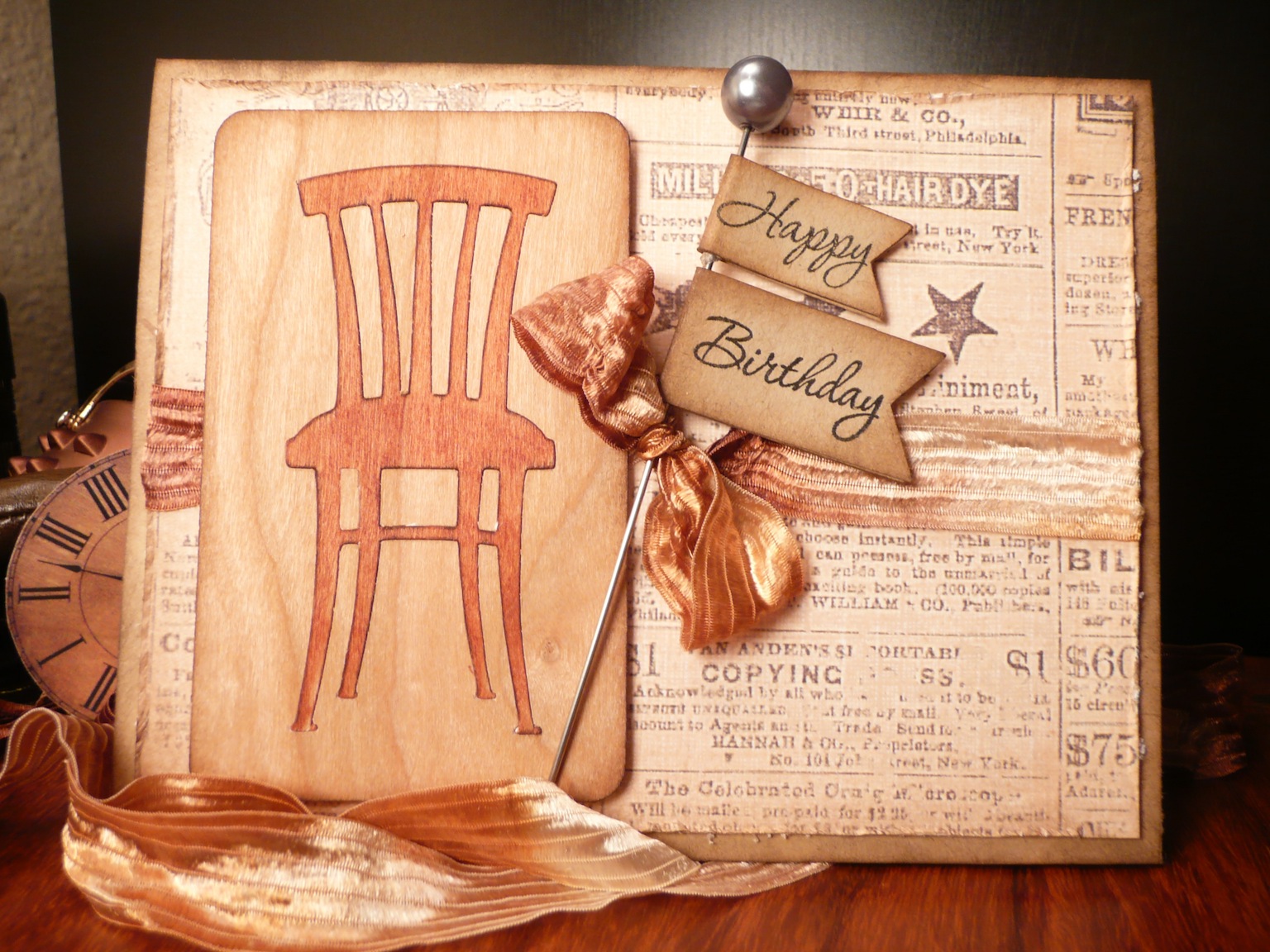
I have an exciting new technique to show you today; wood inlay with the Cricut! Wood elements are super popular right now and the Cricut can cut it. Here is the card I made using the technique:


To replicate this image, you can use the rounded corner rectangle from the george and basic shapes cartridge and the chair image from the Love you a Latte Cartridge. Just use your gypsy or CCR to lay one image on top of the other and don't weld them together. You want to use the deep cutting blade for this one and use the multi-cut option. Once your image is cut, pop the chair out, being careful not to bend the image too much because the veneer can break. I colored my chair with copic markers, then put the pieces back together. To keep the pieces in place, simply cover the back side of the image with scotch tape. Doesn't it look cool?!

Try out the technique and be sure to send me a link of your project, I would love to see your creations!

Ingredients:
  • Cricut Cartridges: George & Basic Shapes, Love you a Latte, CCR Exclusives Party Picks and Pennants
  • Cardstock:French paper co.
  • wood veneer paper: Astro Converters
  • patterned paper: K&Co.
  • Sentiment: Papertrey Ink.
  • Pick: Pink Paislee
  • ribbon:local boutique